Nu kan alla hitta dig på Facebook
Nu kan man inte gömma sig längre
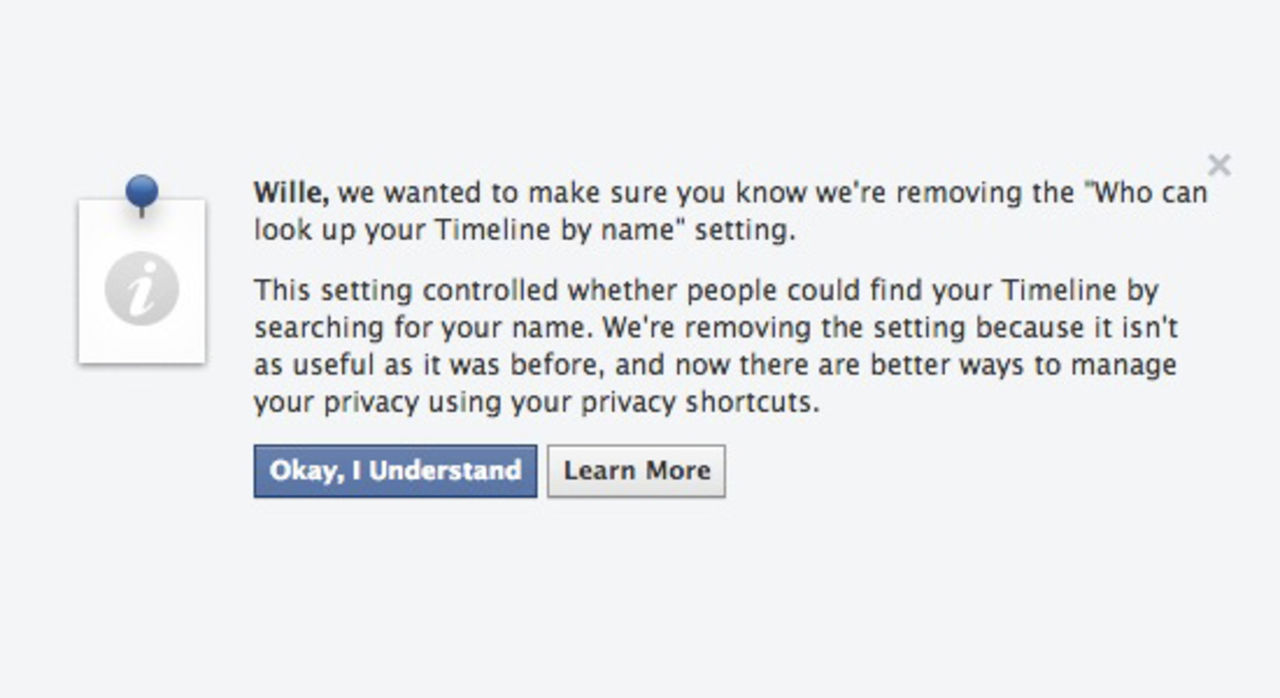
Facebook har meddelat att man nu tar bort den inställning där användare kunde välja att inte vara sökbara på tjänsten.Man säger att man gör detta på grund av inställningen inte längre är lika användbar som den var tidigare och man uppmanar användare att kolla över sina inställningar så att man har koll på vad man delar med sig och till vem/vilka man delar sin information med.I korthet betyder det här med andra ord att alla Facebook-användare kan hitta alla andra Facebook-användare om man gör en sökning på tjänsten.
facebook.com
Webb,
Facebook,
sökmotorer,
integritet,
sökbar
Meddelande från Facebook
We're removing an old Facebook setting called "Who can look up your Timeline by name." We'd like to give you more info about this change.
What's changing: We're removing an old search setting called "Who can look up your Timeline by name"—but this won't change who can see what you've shared on Facebook.
What did this setting do?
"Who can look up your Timeline by name" controlled who could find your Timeline by typing your name in search.
What will happen when the setting is removed?
Anyone will be able to look up your Timeline by your name — but if they go to your Timeline, they'll only see what they already have permission to see. Removing this setting doesn't change who can see your photos, status updates or other things you've shared.
Why is Facebook removing this setting?
When we created this setting, the only way to find you on Facebook was to search for your specific name. Now, people can come across your Timeline in other ways: for example if a friend tags you in a photo, which links to your Timeline, or if people search for phrases like "People who like The Beatles," or "People who live in Seattle," in Graph Search.
Today, the best way to manage who sees your stuff is to use your Privacy Shortcuts (just click the lock icon at the top of every page of the Facebook website), and to choose who to share with when you post new photos and updates.
What's next?
Here are some things you can do to review your privacy choices:
If you want to quickly limit the audience of things you've shared in the past to Friends, visit your privacy settings.
Each time you share a photo, link or status update, you can set the privacy for that specific post.
Check out what you've shared in the past—and who can see that info—by going to your activity log. To get to your activity log, click the lock icon at the top of any page to open your privacy shortcuts.
If you don't want any more reminders and you're ready for Facebook to remove the setting now, you can click Okay, I Understand and we'll stop showing this info.
Thanks for taking the time to read this message and for being part of Facebook.
10.4°
0Wille Wilhelmsson
fre. 8 nov 2013, 11:06
+
Per månad
39 kr
Betala löpande per månad. Ingen bindningstid.
Starta prenumeration
Per år
299 kr
Enklast och billigast, bara 25 kronor i månaden. Betala löpande per år. Ingen bindningstid.
Prova 14 dagar gratis innan du bestämmer dig.
Starta gratis provperiod
Engångsköp
349 kr
Slipp återkommande betalningar, betala ett år i taget. Betala med kort eller Swish.
Köp utan prenumeration